> ## Documentation Index
> Fetch the complete documentation index at: https://docs.xray.cool/llms.txt
> Use this file to discover all available pages before exploring further.
# 快速开始
xpoc 为单文件二进制文件,无依赖,也无需安装,下载后直接使用。
请注意,xpoc为命令行工具,请不要双击运行,需要在命令行中运行。
## 下载地址
请下载的时候选择最新的版本下载。
* Github: [https://github.com/chaitin/xpoc/releases](https://github.com/chaitin/xpoc/releases) (国外速度快)
* CT stack: [https://stack.chaitin.com/tool/detail/1036](https://stack.chaitin.com/tool/detail/1036) (国内速度快)
xpoc 跨平台支持,请下载时选择需要的版本下载。
## 扫描
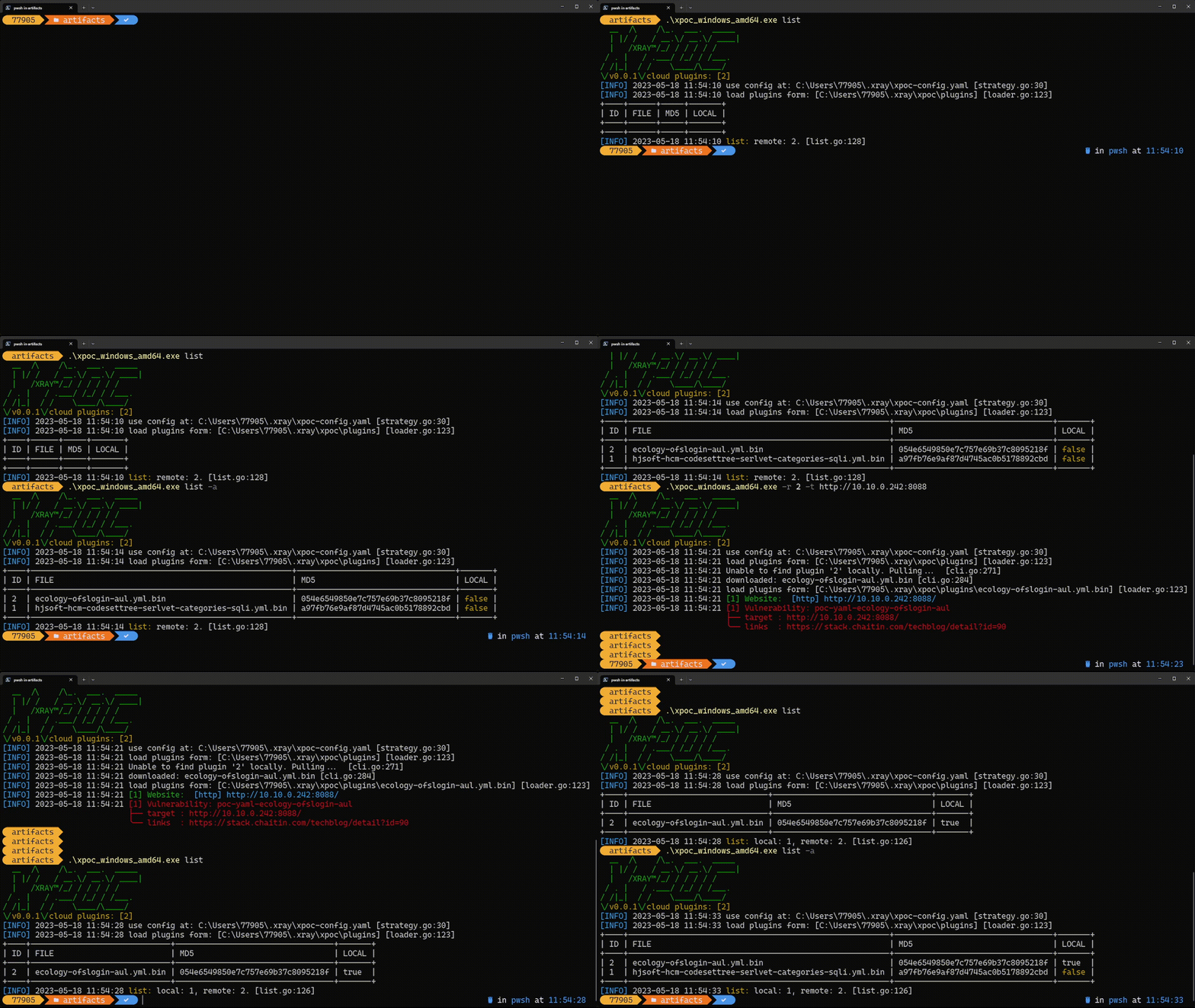 1. 拉取所有云端POC并扫描指定目标
* `./xpoc -t https://example.com -o result.html`
2. 查看所有云端的POC
* `./xpoc list -a`
3. 批量扫描
```bash theme={null}
xpoc < targets.txt
cat targets.txt | xpoc
xpoc -i targets.txt
```
4. 指定group进行扫描:
```bash theme={null}
xpoc -g web.list -t https://www.example.com
```
1. 拉取所有云端POC并扫描指定目标
* `./xpoc -t https://example.com -o result.html`
2. 查看所有云端的POC
* `./xpoc list -a`
3. 批量扫描
```bash theme={null}
xpoc < targets.txt
cat targets.txt | xpoc
xpoc -i targets.txt
```
4. 指定group进行扫描:
```bash theme={null}
xpoc -g web.list -t https://www.example.com
```