> ## Documentation Index
> Fetch the complete documentation index at: https://docs.xray.cool/llms.txt
> Use this file to discover all available pages before exploring further.

# 使用 Burp 进行联动

作者 [Lz1y](https://github.com/Lz1y)

在实际测试过程中，除了被动扫描，也时常需要手工测试。这里使用 Burp 的原生功能与 xray 建立起一个多层代理，让流量从 Burp 转发到 xray 中。

首先 xray 建立起 webscan 的监听
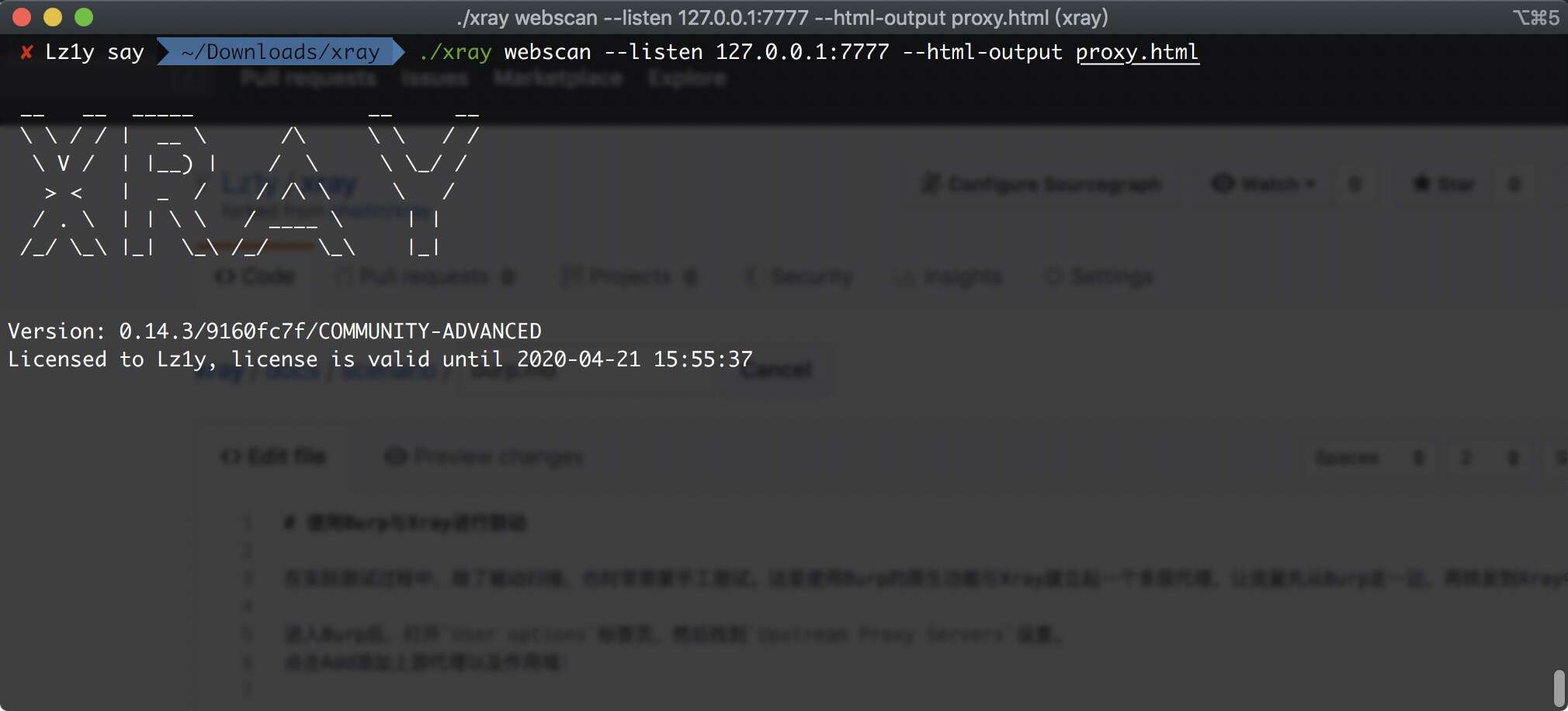
<img src="https://mintcdn.com/chaitin-1/MAXFcXS4jBPMsRQb/images/tools/xray/burp/1.jpg?fit=max&auto=format&n=MAXFcXS4jBPMsRQb&q=85&s=22763acde59528b4ceec857e2df4f279" alt="" width="2020" height="916" data-path="images/tools/xray/burp/1.jpg" />

进入 Burp 后，打开 `User options` 标签页，然后找到 `Upstream Proxy Servers` 设置。

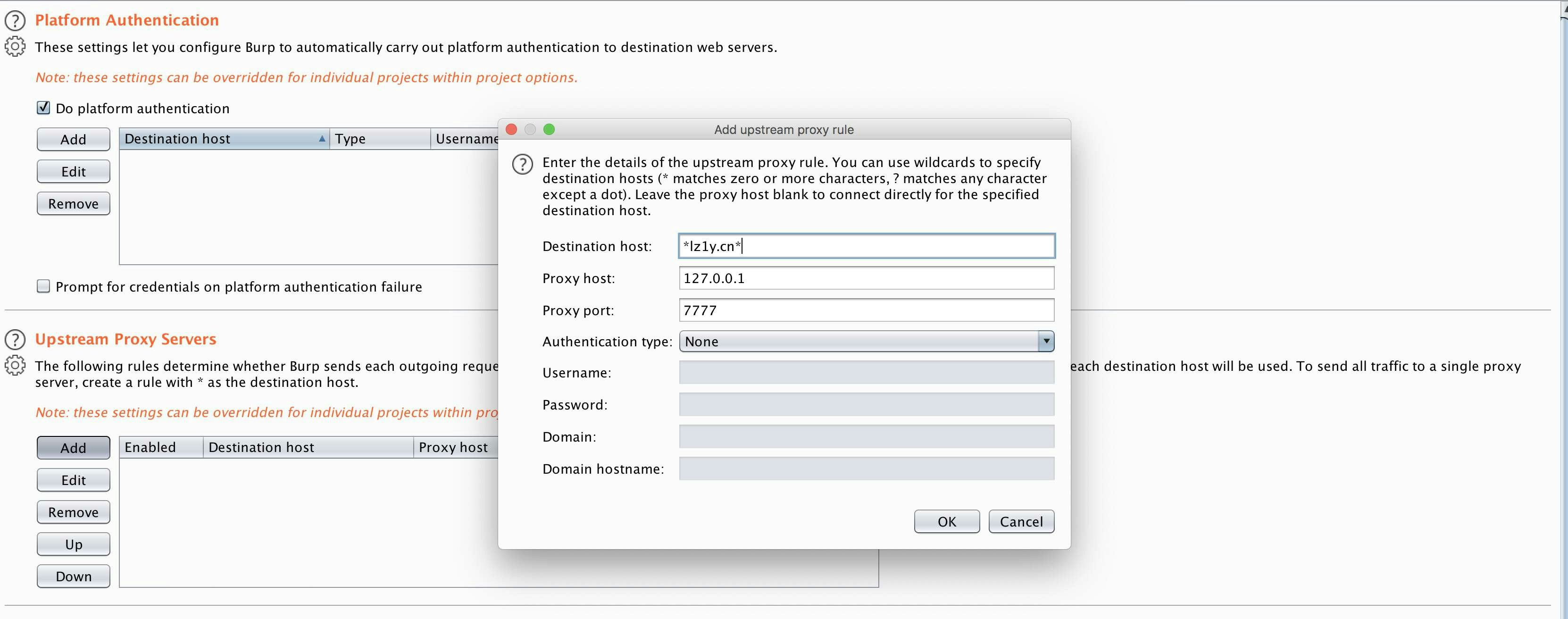
点击 `Add` 添加上游代理以及作用域，`Destination host`处可以使用`*`匹配多个任意字符串，`?`匹配单一任意字符串，而上游代理的地址则填写 xray
的监听地址。

<img src="https://mintcdn.com/chaitin-1/MAXFcXS4jBPMsRQb/images/tools/xray/burp/2.jpg?fit=max&auto=format&n=MAXFcXS4jBPMsRQb&q=85&s=aa3de89da4e9f0c613610b43154cb308" alt="" width="3324" height="1312" data-path="images/tools/xray/burp/2.jpg" />

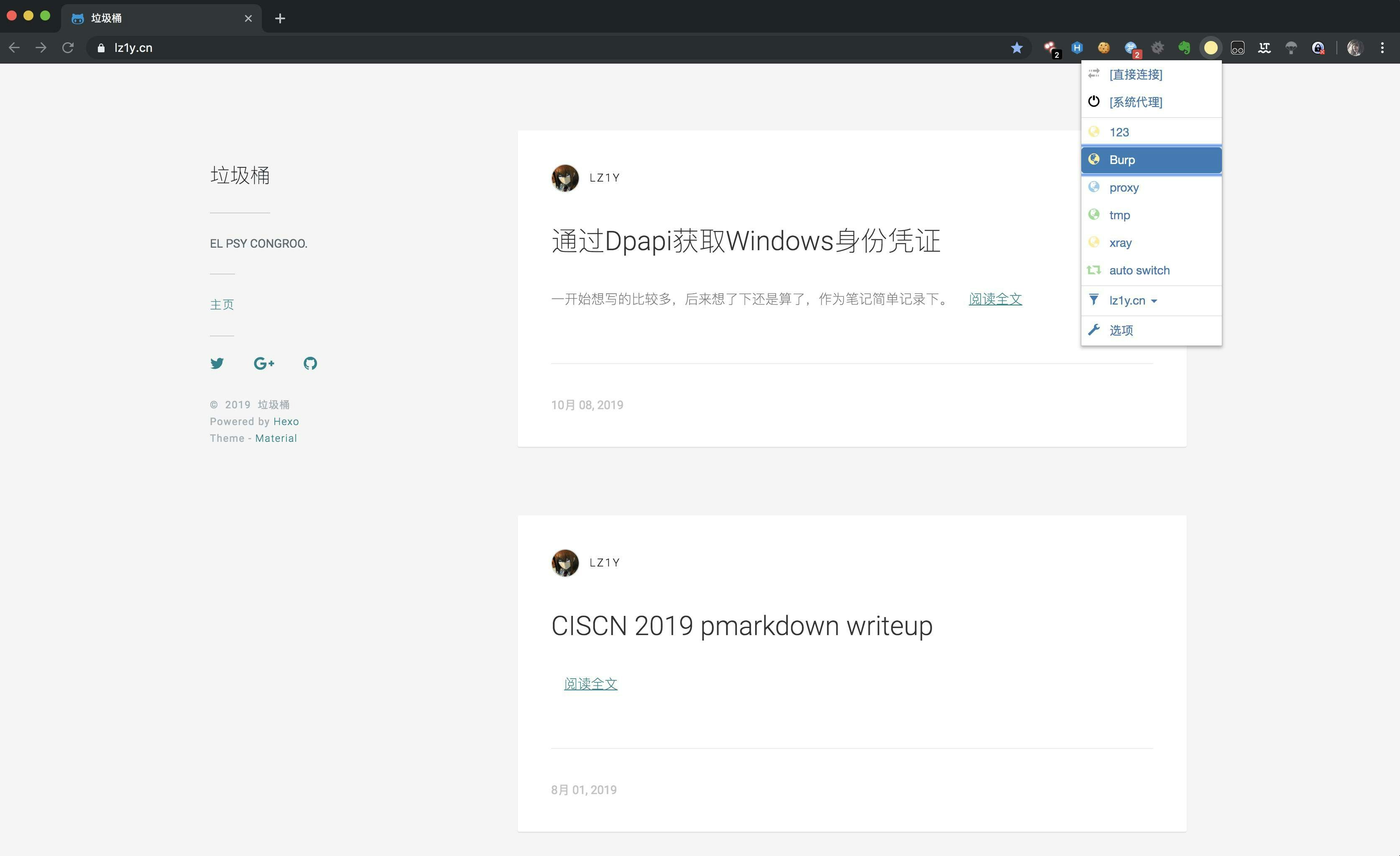
接下来，在浏览器端使用 Burp 的代理地址

<img src="https://mintcdn.com/chaitin-1/MAXFcXS4jBPMsRQb/images/tools/xray/burp/3.jpg?fit=max&auto=format&n=MAXFcXS4jBPMsRQb&q=85&s=ff5c5d44ecce33e07772b5189aed0d41" alt="" width="3348" height="2046" data-path="images/tools/xray/burp/3.jpg" />

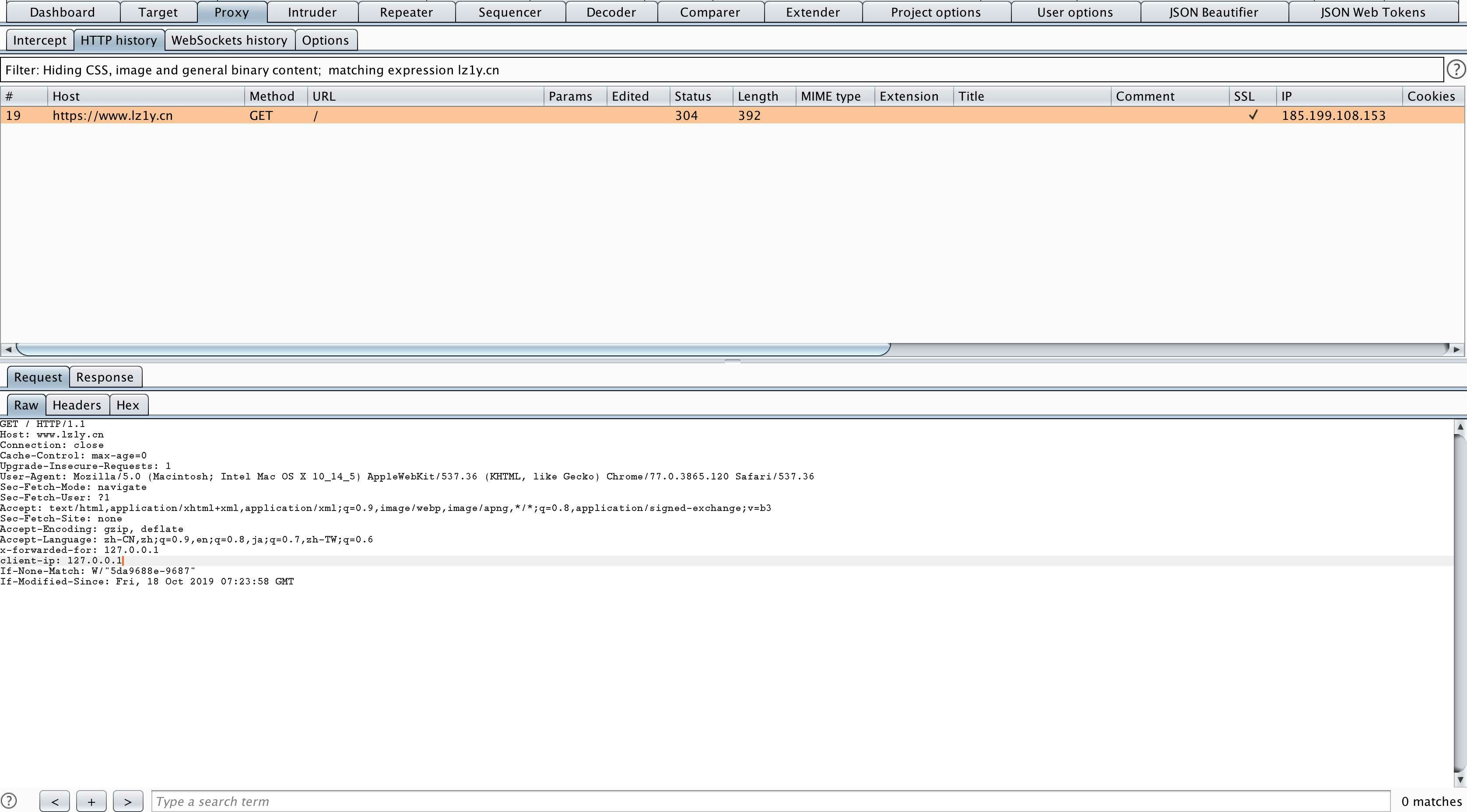
此时，请求已经通过了 Burp

<img src="https://mintcdn.com/chaitin-1/MAXFcXS4jBPMsRQb/images/tools/xray/burp/4.jpg?fit=max&auto=format&n=MAXFcXS4jBPMsRQb&q=85&s=7c5d2d2ec58d90ba6419d8cc34364f9b" alt="" width="3352" height="1856" data-path="images/tools/xray/burp/4.jpg" />

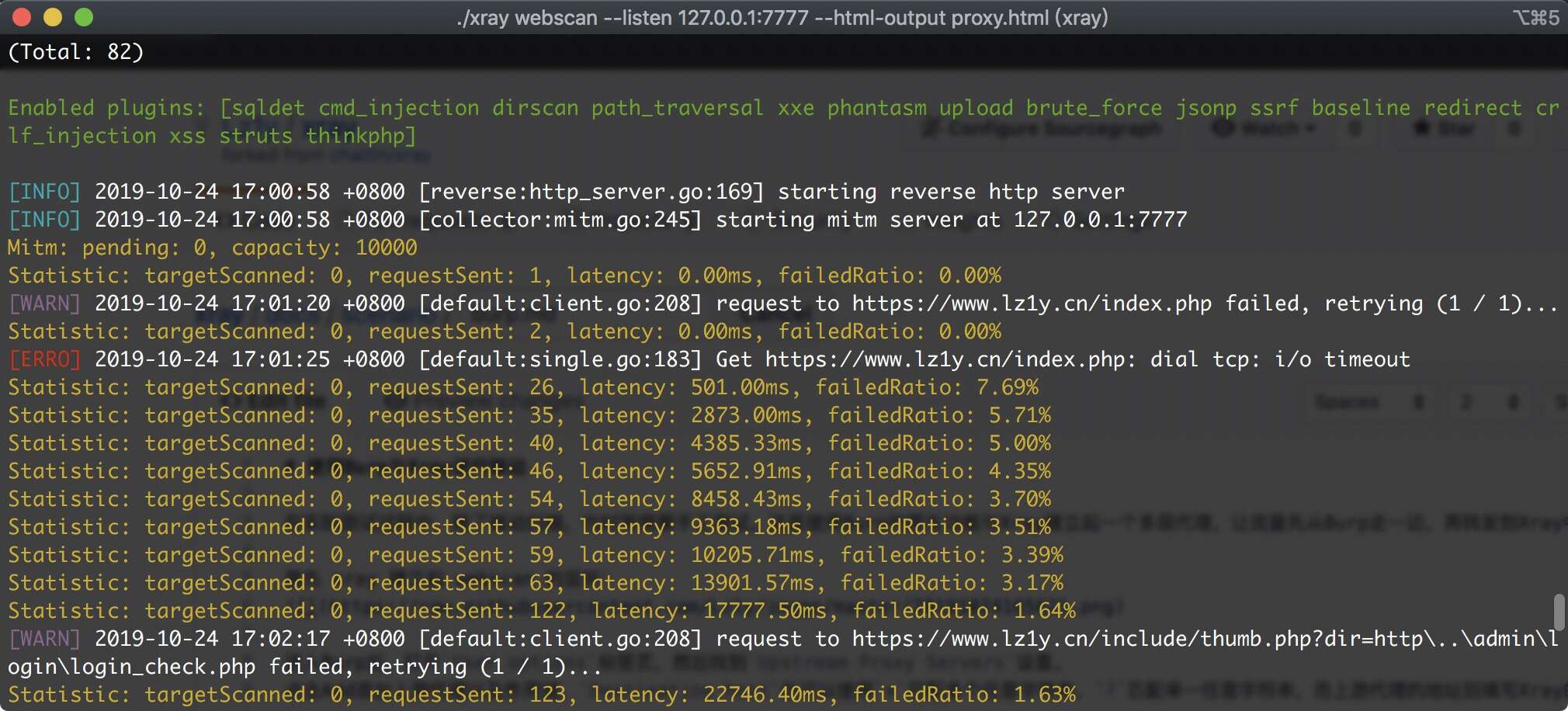
转发到了 xray 中

<img src="https://mintcdn.com/chaitin-1/MAXFcXS4jBPMsRQb/images/tools/xray/burp/5.jpg?fit=max&auto=format&n=MAXFcXS4jBPMsRQb&q=85&s=1c366a7983c354288b2e19188137cb8c" alt="" width="2020" height="916" data-path="images/tools/xray/burp/5.jpg" />

至此，联动成功。